5

I am buying a house and it has cat-5 cable going to all the rooms. However, it has an RJ-11 plug on it. I'd like to leave that in place and run an additional one or two cat-6 cables. How can I do this without tearing out the drywall?

Currently, all the cables terminate in a patch panel in the garage. This is a two story house, and many of the sockets are on the first floor.

I'm looking specifically for gigabit ethernet because I will use it. (Backups, network installs, cross-network file sharing, etc)

Malfist
  • 596
  • 3
  • 9
  • 19
  • Do you think it is run in tubing? If you lightly tug on it does it seem like it won't budge even if tugging slightly harder? If you answer no to any of those then better run new conduit on top and put your cables in there. PS - This has already been covered- Please search the site. – Piotr Kula Nov 05 '12 at 13:43
  • I have no idea if it's in tubing or not. They did move when I tugged on them though, if I recall correctly. – Malfist Nov 05 '12 at 13:46
  • @ppumkin, There's a patch panel in the garage labeled Dynaflex, and they're a telecom pipe manufacturer, so I think it would be in a pipe. – Malfist Nov 05 '12 at 16:06
  • Sound promising. Could you get a few pictures up- They always seem to help understand the situation much better. If it is a flex/conduit there is a tool you can use to help you put new cables in (fairly) simply. – Piotr Kula Nov 05 '12 at 16:14
  • That might take a few days, I'm in the process of underwriting for the house. I'll be able to do a final walkthrough in a day or two. – Malfist Nov 05 '12 at 17:26
  • Can't you simply convert to ethernet and use a switch? – Matthew Nov 05 '12 at 19:14
  • A switch at each wall plate? – Malfist Nov 05 '12 at 19:26
  • Can you expand on the purpose of the rj11 plug (jack) ? I'd totally be going voip, or no voice at all and do cellular for calls. Then you can convert the wall plate to a switch+AP with something like https://www.ubnt.com/unifi/unifi-ap-wall/ Decent wireless all around, two wired data, and no analogue copper in sight. – Criggie Apr 21 '17 at 10:03

4 Answers4

4

If you just want to extend your network you can use your existing electrical system.

enter image description here

This is called power line ethernet You get various version- The simplest being point to point. and more complicated ones that allow for mulitplexing/switching across several units like the one in the image below.

enter image description here

And you can get very advanced and slick ones called power line sockets that are switch traffic across your whole house with these stylish wall plates...

enter image description here

Speeds vary from products but usually start at 55mbs (55megabits = 5mega bytes per second) and I have seen speeds reaching up to 500mbs (50megabytes per second)

Cable is ALWAYS allot more reliable especially if you want to use it for you home multimedia systems, like streaming HD movies from a NAS, playing world of warcraft with ultra low latency so you don't get owned by a noob because of lag. Wireless is good for watching youtube on your smartphone, placing orders from your fridge or letting your guests leach some of your bandwidth. (Trust me- I had Wirless N on my media centre that was 3 meteres above- put in a 100mb cable and now i can watch movies without stress)

Obviously running LAN cable is the cheapest option - I would suggest using some cable conduit.You get various sizes and shapes - and you paint over plain ones if you want to camouflage them into your wall.

enter image description here

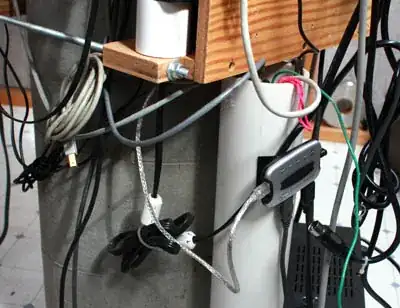
But be careful not to land up with something like this.. it is easy.
enter image description here

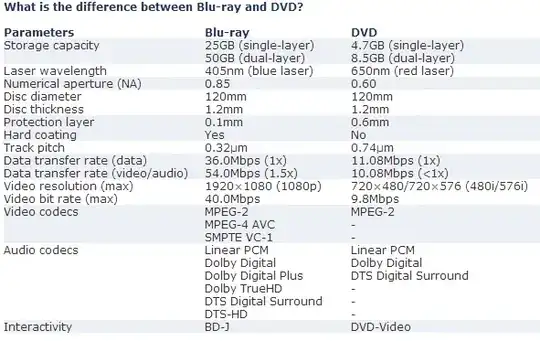
Some technical benchmarking and limitations
enter image description here

Some more reviews on the netgear 500mbs reviews

enter image description here

enter image description here

enter image description here

Piotr Kula
  • 5,869
  • 20
  • 31
  • That would be a good solution if he didn't already have ethernet cables strung to all rooms. Since he does, simply using inexpensive network switches in each room is a better quality and cheaper solution than power line ethernet, especially given its limitations. – GdD Nov 05 '12 at 14:00
  • I have a NAS, and I stream HD videos to my TV, so wireless and powerline is too slow :( – Malfist Nov 05 '12 at 14:10
  • Wireless yes! But powerline by standard now a days is about 110mbs.. that is ~10megabytes a second(equivalent to Cat5 100mbs). That is uncompressed blu-ray sizes streamed without problem dude! Compressed movies with h264 codecs like HD Youtube, Netflix, LoveFilm, Google give you superior quality at lower bandwidth. I converted my entire movie database to h264 for this very reason. I saved 30% space but I cannot see difference in quality! (on 32" Full HD TV on movies ripped from BD) You will never get 1000mbs! Harddrives only read at 400-600mbs – Piotr Kula Nov 05 '12 at 14:23
  • ppumkin, your math assumes only one hard drive or one computer is talking at a time. There are multiple computers, and most have SSDs. SSD's easily max out SATA II's bandwidth at 3 Gb/s, which would handily consume all of a gigabit network's bandwidth. – Malfist Nov 05 '12 at 14:35
  • @Malfist - Fair enough- Including that in the origin question would have helped. Also maybe could you tel us what codec you will be using for you HD content? Uncompressed Blu-Ray is the largest I am aware of with a Maximum encoding bitrate of 40mbs- That means you can stream 2 uncompressed blue ray(which you wont) over your 110mb + still download stuff from usenet and your little brother can still play WoW without latency effect(especially with QoS enabled) Unless you are running an internet/video cafe- 110mb is more than enough and wont even reach 1% transfer rate of any SSD – Piotr Kula Nov 05 '12 at 14:45
  • @ppumkin, 110 megabit is much much much less than an SSD's 3 gigabit bandwidth. I'm looking to do cat6 (as specified in the question) because I have a gigabit network, and need the bandwidth. Primarily for the NAS. – Malfist Nov 05 '12 at 14:48
  • @ppumkin I have the Crucial RealSSD C300, and it's a couple years old. I have newer, (probably) faster ones now in both the laptop and the NAS. Also notice, the SSD specs are in megaBYTEs and the network specs are in megaBITs. – Malfist Nov 05 '12 at 14:56
  • That is fine! Analogy: Because you buy a Mclaren SLK that can go 300mph - Does not mean you will ever reach that. Sure it accelerates so fast you choke on your tongue, and looks amazing, which is fantastic but you still limited to where you are driving. In other words. If video file streams at 40mega bytes per second- then your 800 megabyte per second SSD will only us 2% of its reading capacity- It does not mean that the whole file will be dumped in one single go just because you have an SSD. Bandwidth is controlled by request bytes not by force response! – Piotr Kula Nov 05 '12 at 15:01
  • @ppumkin, I'm aware of that. But as I pointed out several comments ago, the NAS is the primary concern in bandwidth. I make weekly backups to it. During the backup, the limiting factor is the network speed. I also do network based installations, I mount disk images cross network. Trust me, I know my bandwidth needs. – Malfist Nov 05 '12 at 15:07
  • This is turning into a SuperUser discussion (Bandwidth is always a problem- even on fibre optic) I might suggest schedules data intensive procedures late at night like 4AM when nobody will be watching movies. This discussion is getting off topic. If you would like to chat about more options - please invite me into a chat room. Otherwise please upvote good answers as it seems we have provided extensive suggestions under the DIY Q&A FAQ – Piotr Kula Nov 05 '12 at 15:11
  • I just wanted to say that the umbrella standards organization for power line networking is called HPNA, and a lot of the gear is sold using that name. – Aaron Nov 05 '12 at 18:16
3

You could try to use the existing cable to pull the two cables through, but there are limitations on that. The holes may not be big enough for two cables, there could be snags on other cables, pipes, bends, etc. The risk is that you could end up pulling a good cable halfway out and then not be able to get it back in place.

I would suggest that trying to run wired cables to every room is a load of work for little return. Also, that in a house cat6 is excessive, I highly doubt you'll ever need more than cat5e, and it is cheaper. I would recommend that instead of trying to run loads of extra cables that you install a good wireless network system (use WPA2, not WEP or WPA), and get inexpensive 4 or 6 port switches for those rooms and areas that need extra wired connections.

GdD
  • 5,229
  • 3
  • 19
  • 26
  • 1
    You know HOW to get the cable back without risk? Tie another piece of cable on the end. So if it gets stuck you pull it back out to its original locations. lol – Piotr Kula Nov 05 '12 at 13:47
  • 4
    Of course @ppumkin, but if there's a snag it could get stuck both ways. – GdD Nov 05 '12 at 13:50
  • 2
    Wireless is a Hub topography with collision detection instead of avoidance. Wireless is fine for internet browsing, but backing up to a NAS, or streaming HD video is simply too slow. – Malfist Nov 05 '12 at 14:11
  • Yes- but having pulling power both ways gives you two times more chance of getting it un snagged. Anyway- Its pretty obvious its not that simples as OP would have liked.. – Piotr Kula Nov 05 '12 at 14:14
  • Who said there's a simple answer? – GdD Nov 05 '12 at 14:22
  • I used to say the same thing about Cat5e vs Cat6, but I just wired my house with Cat6 because it was actually slightly cheaper for a box than 5e. The cable of course is slightly harder to work with (can't bend it as much) but that's not a big deal. – gregmac Nov 05 '12 at 14:26
  • No - bending CAT6 is highly unrecommended. every bend how ever small it is to the right angle bend being the worst causes serious bandwidth loss! CAT6e should be run in straight as possible lines and only curved - not bent. Typical home installations of Cat6e ony has a maximum throughput of 250-400mbs because of excessive bending. Sure its better than 100mbs.. but is still up 60% less than specced. – Piotr Kula Nov 05 '12 at 14:57
  • Does CAT-5e respond to bending better? – Malfist Nov 05 '12 at 15:21
  • A bit, but bending any network cable is not recommended! – GdD Nov 05 '12 at 15:28
2

Unless it's been run in conduit, it's not going to happen. In theory you could attach other cables to the end of the existing one and pull it through to the new place but in practice it will fail (and you'll be left with nothing). Even with conduit it may be troublesome.

Something simple you can do however is run two connections down the same wire bundle. Ethernet uses two pairs of wire (one transmit, one receive) but there are four pairs in cat5 cable. Thus, you can split this out to two RJ45 jacks on the far end and do similar in the patch-panel. It's not cat6 but it is a lot fewer headaches.

Brian White
  • 1,440
  • 10
  • 9
0

You need a RJ45 splitter.

In a Cat5e cable, there are 8 wires or 4 pairs. In a 10mbit network, 2 pairs are used. In an 100mbit network, all 4 pairs are used

The difference between Cat5e and Cat6 is how many twists in any given pair of wires there are and the distance a data signal can be transmitted before degradation occurs and fancy equipment is needed to repeat the signal (a repeater).

Bends, even 90degrees do NOT effect the transmission of the signal. Bending a solid core wire at a given point in the line will eventually weaken the wire and possibly cause it to physically break if you bend it back and forth multiple times (100s), but a 90 degree bend in a Cat5e or Cat6 wire will not show a loss of data transmission rates.

Google "Cat5e Pair Splitter Adapter" - There are many to choose from and if you don't mind using some networking tools and buying some jacks, you can very well make one yourself.

In a pinch, we've used splitters in an office setting and their a perfectly legit way to gain an extra line when running a new one and using Wifi isn't an option.

lsiunsuex
  • 2,833
  • 7
  • 28
  • 33
  • If I split it, won't I loose the ability to have gigabit ethernet? – Malfist Nov 05 '12 at 17:28
  • Unless your transferring mammoth amounts of video / audio across your local network, or are on the top tier Verizon Fios or Google Fiber networks, you'll never notice the difference. Even streaming video / audio from a PC to an Apple TV / set top box is fine over 10mbit because it can be sustained (where as wifi is per conditions). If its really a concern to maintain gigabit, attach a network switch to the existing jack in the room. Switches can be stacked or chained up to 3 or 4 without running into problems. – lsiunsuex Nov 05 '12 at 17:34
  • Bending the wire back and forth could not only break the wire, but can also lead to work hardening which can increase the resistance of the affected area. You'll also want to pay mind to the cables rated bend radius, which with CAT5 & 6 is 4 times the diameter of the cable. Tighter bends can physically damage the wire. – Tester101 Nov 05 '12 at 17:35
  • @lsiunsuex, The bandwidth isn't for the internet, it's for internal traffic. Backups to a NAS, file sharing, cross network disk mounting, HD video streaming, etc. Those things are often limited by bandwidth. – Malfist Nov 05 '12 at 17:39
  • There are way to many variables in this question to make anymore of an educated guess. If its required to maintain gigabit speeds, just buy a gigabit switch and put it at the jack that needs to be split. Buy as many ports as you need and be done with it. We (in our house) backup to an Apple Time Capsule and stream audio and video to Apple TV and Apple Airport Express and I never run into lag over 100baset and usually, opt to stream over Wireless N. – lsiunsuex Nov 05 '12 at 17:44